






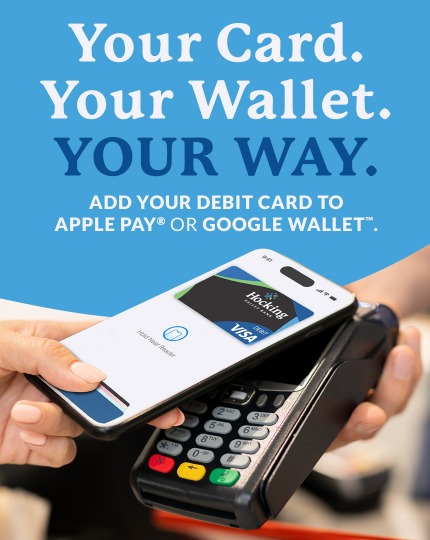
Getting Started is Simple
-
Open the Apple Wallet® or Google Wallet™ app on your device.
-
Tap the option to add a new card.
-
Follow the prompts to add your Hocking Valley Bank Visa® debit card.
Quick Answers about Mobile Wallet
What is a digital wallet and how does it work?
- A digital wallet is an application that securely stores your debit card information on a device, so you can easily pay when you shop.
- Digital wallets have multilayered security features that keep your payment information away from fraudsters.
- Adding a card to your digital wallet takes only seconds.
A digital wallet is an app that stores your debit card information so you can make purchases with your mobile device. You can use your Hocking Valley Bank Debit Card in digital wallet apps Apple Pay® or Google Pay™ on phones and smartwatches.
To make an in-store purchase, check for your digital wallet's logo at the point-of-sale (POS) system, open your wallet app, choose your Hocking Valley Bank VISA debit card, and then tap your device at the POS terminal. That's it, you're done.
Is paying with a digital wallet safe?
Every payment is encrypted, and your actual HOCKING VALLEY BANK card number is never shared. So even if your phone is lost or stolen, your payment details stay protected.
Digital wallets have an additional layer of payment permission required when you want to make a transaction. Some wallets use biometric data like a fingerprint or facial recognition to confirm it's really you making the transaction.
How can I protect my digital wallet?
Digital wallet apps are designed to only interact with specific apps on your phone. This isolation can prevent malware that may affect other apps on your phone from infiltrating your wallet and stealing your financial information.
- Never share your card information or one-time passcodes. Fraudsters will use social engineering such as posing as your bank’s fraud department to trick you into giving them your card information. Never share your debit card number or security code.
- Secure your device and app. Implement all available PIN, password, and biometric authentication options to secure your device and the app.
- Exercise caution with transactions. Limit your transactions to individuals or businesses you trust and establish a spending cap on large purchases and transfers.
- Monitor transaction activity. Regularly monitor your accounts online, set up alerts for potential fraud or significant spending, and consistently review your payment history to quickly identify any declined or suspicious transactions.
- Move any money received from your app to your insured account. When you receive money in your app account, send yourself a reminder email to move the money to your insured account.
- Separate social media from financial apps. Avoid linking your digital wallet app to social media platforms.
- Steer clear of unsecured Wi-Fi networks. Never access your digital wallet services on an unsecured Wi-Fi network. Exercise additional caution when shopping or using financial apps on public Wi-Fi. Unsecured networks can give criminals an open door to access your device and steal your personal financial information.
- Prepare for the possibility of device loss. If your device goes missing, use the security software on your smartphone to lock it, erase personal information, and activate an alarm if necessary.